
AR closes the gap between “imagine it” and “decide”
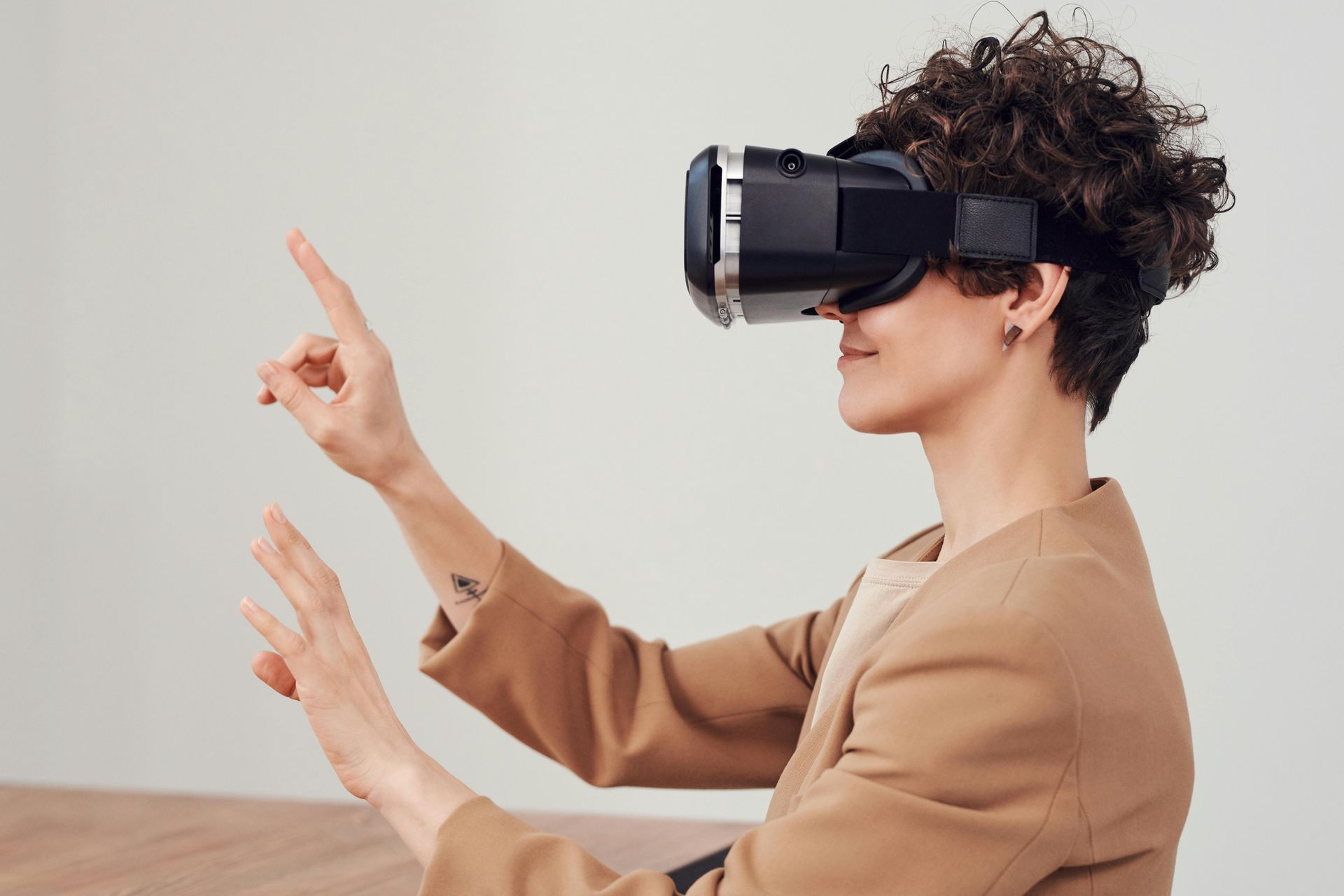
Most business problems boil down to hesitation. Shoppers hesitate because they can’t picture a product in their space. Trainees hesitate because the next step isn’t obvious. Field technicians hesitate because the manual doesn’t match the real world. Augmented Reality (AR) removes that hesitation by placing the right information—and even the product itself—directly in the camera view of the real world. You’re not asking people to guess. You’re letting them see and act.
In plain terms, AR overlays digital objects or instructions on top of what your camera sees. It runs in a browser (WebAR), a mobile app, on social platforms, or on headworn devices. When it’s done well, AR shortens decisions, reduces errors, and increases confidence. This guide is a practical walk-through of how to use AR to solve real business problems you can measure—conversion lift, returns reduced, time-to-competence shortened, first-time fixes increased.
Business cases that actually move the needle
The most valuable AR projects share the same pattern: they remove uncertainty at the exact moment it hurts your results.
Commerce: The classic “View in your space” experience lets a buyer place a true-to-scale sofa, lamp, or appliance in their room with one tap. That answers, “Will it fit? Does it look right?” right at the point of purchase. The impact shows up as higher product-detail-page engagement, more adds to cart, higher conversion rates, and fewer returns due to size/color mismatch.
Training and field operations: Step-by-step overlays on real equipment cut ramp time for new hires and reduce error rates. A remote expert can draw on a technician’s live view to point at the correct valve or connector. That turns “call me back when you find it” into “tighten this part now”—boosting first-time fix rates and reducing truck rolls.
Marketing and brand experiences: Interactive packaging, event scavenger hunts, or location-anchored content drive participation instead of passive viewing. When the campaign hook matches a real curiosity—“what’s inside,” “how would this look on me,” “what happens if”—dwell time and sharing jump, and your call-to-action feels natural.
Data in context: On a factory floor or in a store, overlaying spatial dashboards (e.g., live status over each machine, planograms on shelves) saves walking, guessing, and tab-switching. People act where the work happens.
The common thread: AR removes ambiguity at the exact point where it blocks action.
AR in one page: how it works (without jargon)
Your camera sees; the software understands; the overlay appears.
- Understand the scene. AR uses world tracking (often called SLAM) to estimate where surfaces are and how the device is moving. It can detect planes (floors, tables), faces, hands, or specific images/objects, depending on the toolkit.
- Anchor the content. Once a surface or target is found, the app places an “anchor” and attaches the 3D object or instructions to it. Move the phone, and the anchor stays put in the world, not the screen.
- Match light and occlusion. Good AR estimates lighting so digital objects cast believable shadows. With occlusion, real objects can pass in front of virtual ones so it looks grounded.
- Stay stable. The device constantly updates the AR scene as you move, keeping the overlay locked to the real world.
That’s the whole loop: detect → anchor → display → update. The better you set up detection and anchoring for your task, the smoother the experience.
Choose your AR channel wisely
Pick the channel that meets your audience where they already are and matches your technical needs.
WebAR (mobile browser).
- Best for: ecommerce previews, simple product demos, fast campaign launches.
- Why: zero install, share with a link or QR code, works across iOS/Android.
- Watch for: performance budgets and device variability; keep assets light.
Native mobile apps (iOS/Android).
- Best for: loyalty features, complex logic, offline or device-level features.
- Why: highest performance, full access to sensors/APIs, persistent experiences.
- Watch for: install friction; your use case must justify an app.
Social AR (Snapchat, Instagram, TikTok).
- Best for: reach, creator-led effects, virtual try-on, trends.
- Why: audiences are already there; creator ecosystems; easy to share.
- Watch for: platform rules, ad-like fatigue, limited portability.
Headworn (Apple Vision Pro, HoloLens, Magic Leap).
- Best for: hands-free workflows in training and field ops; complex assembly; spatial productivity.
- Why: persistent, stable overlays with both hands free.
- Watch for: hardware cost, comfort, IT/security approvals, and specialized development.
Decision shortcut: If you need fast reach or PDP lift, choose WebAR. If you need deep fidelity or recurring workflows, consider native. If you need attention at scale, ride social. If hands-free safety and precision matter, explore headworn.
The tooling map: pick the right hammer
You don’t need to reinvent 3D or computer vision to ship effective AR. Use mature tools.
Web stacks:
-
<model-viewer>for quick 3D/AR viewers in web pages (USDZ/GLB support). - Three.js / React Three Fiber for custom WebGL scenes.
- WebXR for browser-level AR features.
- Commercial WebAR platforms (e.g., 8th Wall, Zappar, Blippar) for robust tracking, hosting, analytics, and editor workflows.
Native stacks:
- iOS: ARKit + RealityKit, Reality Composer for no-code scene layout, USDZ assets.
- Android: ARCore; often paired with Unity/Unreal to build cross-platform experiences.
Social tools:
- Lens Studio (Snap) for lenses, try-ons, and world effects.
- Spark AR (Meta) for Instagram/Facebook effects.
- Effect House (TikTok) for viral formats.
Games/DCC (content creation):
- Blender for modeling, UVs, materials, baking.
- Unity / Unreal for complex interactions and cross-platform distribution.
- Spline for quick, lightweight scenes and exports.
Formats:
- GLB/GLTF for most web and Android flows.
- USDZ for iOS Quick Look and Apple pipelines.
Most teams export both.
Design for the real world: AR UX you won’t have to fix later
Great AR feels obvious. That’s not an accident—it’s design.
- Onboarding the world: The “move your phone slowly” moment is crucial. Use a clear visual cue (grid dots, rays) and a brief line of copy. End onboarding the instant a surface is found; don’t make users work longer than needed.
- One-handed by default: Put controls within thumb reach. Large touch targets. “Rotate/scale” via intuitive gestures, but add UI nudge the first time (“pinch to resize”).
- Ground truth scale: Start your object at true scale. If it’s huge, place a scaled preview first (“Tap to place full size”) to avoid overwhelming the scene.
- Believable lighting: Enable dynamic shadows (even soft, fake shadows) so objects sit in the scene. It’s a small detail with a big trust effect.
- Occlusion when needed: When realism matters (e.g., furniture behind a table), use occlusion. If it compromises performance on low-end devices, make it optional.
- Safety and comfort: Keep copy short and readable. Offer “reduce motion” modes. Allow pause/exit in one tap. Avoid interactions that force users to walk backward or stare at the sun.
If a user can’t place, rotate, or understand in the first 10 seconds, they’ll bounce. Design those first 10 seconds deliberately.
Build 3D content that loads fast and looks right
The most common AR failure isn’t tracking—it’s heavy, messy assets. Fix that pipeline.
- Start with the right source: Manufacturer CAD, photogrammetry, 3D scans, or clean modeling. Don’t import raw CAD to production; it’s too dense.
- Optimize meshes: Target reasonable poly counts for mobile. Merge meshes where sensible to reduce draw calls. Remove hidden geometry.
- UVs and textures: Use PBR (albedo/roughness/metalness/normal). Avoid oversized maps; pack them into atlases. Compress to KTX2/Basis for the web.
- Material sanity: Keep shader graphs simple. Too many unique materials kill performance.
- Scale and pivots: Use real-world units (meters) and correct pivots. A lamp pivot belongs at its base, not the middle of nowhere.
- Export both ways: GLB for web/Android; USDZ for iOS Quick Look. Keep an export preset so every SKU ships consistent files.
- QA the basics: Load time (target seconds, not tens of seconds), frame rate, touch targets, color accuracy, and memory use on low-end devices.
Remember: most users are on mid-range phones over average networks. Optimizing for them pays the bills.
Performance, QA, and accessibility
Plan for the devices and contexts you’re actually shipping to.
- Performance budget: Aim for smooth 30–60 fps. Set max texture sizes. Keep draw calls low. Limit real-time lights; bake what you can.
- Device matrix: Test on a low-tier, mid-tier, and high-tier phone for both iOS and Android. Test under harsh lighting, outdoors, and with shaky hands.
- Offline and flaky networks: Provide a lightweight preview thumbnail while big assets load. Use caching where permitted.
- Accessibility: Clear text, high contrast, voice-over labels for key UI, reduced motion option, one-hand flows.
- Privacy and camera permissions: Be explicit about why you need the camera. Keep processing on device when possible. Never surprise a user by storing spatial maps without disclosure.
Make QA a checklist, not a vibe.
Measure what matters (KPIs & experiments)
If your AR doesn’t change a number you care about, it’s theater. Pick KPIs that match the job.
Ecommerce/PDP:
- Entry rate (visits → AR launches)
- Placement rate (launch → object placed)
- Interaction time (rotate/scale/distance changed)
- Add-to-cart rate among AR users vs. non-AR
- Conversion rate lift and return rate change
Marketing experiences:
- Dwell time, completion rate, shares/saves
- CTA clicks/redemptions
- UGC volume and sentiment
Training/field ops:
- Time-to-competence for new staff
- Error/defect rates
- First-time fix rate
- Average handle time on calls/assists
Experiment design:
A/B test with and without AR on the same SKU or path. For experiences, test variants of the hook, first placement, and CTA copy. Instrument events (launch, anchor, scale, capture, CTA click) with privacy in mind. Always report against a baseline to avoid “cool but unclear.”
Implementation playbooks (step-by-step)
You don’t need a giant roadmap to see value. Start with a scoped pilot designed to learn fast.
Ecommerce “View in Your Space” in 4–6 weeks
- Pick 10–20 top SKUs that drive meaningful revenue.
- Source or build 3D assets; optimize to GLB + USDZ with consistent scale.
- Add AR buttons to PDPs (“View in your space”); serve the right format per device.
- Include a simple onboarding overlay and a clear PDP-matching CTA in AR (“Add to Cart”).
- Instrument analytics events; A/B test AR vs. no-AR cells.
- Review lift and returns; scale to the next 100 SKUs if the numbers clear the bar.
Training/Field service overlays in 6–10 weeks
- Identify 3 high-impact procedures causing delays or errors.
- Write short, visual steps; capture images of equipment for targets or choose surface anchors.
- Prototype in RealityKit/ARCore or Unity (for cross-platform), with step arrows and callouts.
- Pilot with a small technician group; measure time-to-task and error rate.
- Tweak steps, improve contrast and anchors, then roll out to the next region/team.
Retail/event activation in 3–5 weeks
- Pick a single compelling hook (e.g., reveal, try-on, hidden story).
- Choose WebAR or Social AR based on expected traffic and sharing.
- Build a simple scene with one standout moment and a clear CTA (coupon, sign-up, map).
- Print markers or deploy QR codes; train staff to help launch AR.
- Measure scans, dwell, shares, and redemptions; keep what moves the line.
Build vs. buy (and when to blend)
- Buy/assemble when you need speed, low code, and standard features: web viewers for PDPs, social effects for reach, hosted WebAR platforms for campaigns and analytics.
- Build custom when the workflow is unique or complex: persistent training spaces, offline use, enterprise security, heavy data integration.
- Blend by proving value quickly with a platform, then productizing winners in custom code that you own.
A healthy approach: ship a quick win in weeks, not months. Use the data to justify deeper investment.
Budget, timelines, and team roles
You can start small and scale intentionally.
Typical cost elements
- 3D asset creation/cleanup per SKU (simple items at the low end; detailed/complex at the high end).
- Experience build (WebAR/social effect vs. native module; complexity drives cost).
- QA and device testing; basic accessibility review.
- Hosting/CDN and analytics.
- Optional: content amplification (paid social, influencers).
- Internal time for PM, dev, design, and approvals.
Rough timelines
- PDP viewer pilot: ~4–6 weeks (assets + integration + QA).
- Social effect: ~2–4 weeks including review cycles.
- Field training pilot: ~6–10 weeks from storyboard to pilot.
- Headworn workflows: longer; plan 10–16+ weeks including IT and safety.
Who you need
- Product/Project Manager, 3D artist/tech artist, front-end or engine developer, UX designer, QA, and someone who owns measurement. For field ops, add a subject-matter expert early.
Security, legal, and compliance
Don’t leave these as afterthoughts.
- Data handling: Be transparent about camera use and what you store. Prefer on-device processing. Limit retention windows.
- IP and licensing: Ensure you own rights to 3D assets and any captured media. If users can record, set clear terms.
- Disclosures: For marketing, follow platform and jurisdiction rules; label sponsored content.
- Safety: Add motion and spatial safety notices. For headworn, include fit and fatigue guidance.
- Regulated industries: In health/finance, involve legal early; maintain claims sheets and disclaimers; build a review process into your brief → approval flow.
Common pitfalls (and how to fix them fast)
- Heavy models = slow loads. Fix with mesh cleanup, texture compression, and a lightweight preview.
- Low placement rates. Improve onboarding visuals; add ground cues; start with reasonable scale; provide a “place automatically” toggle.
- “Neat” but not useful. Tie AR to the path to purchase or a workflow step, not a novelty tab. Place a CTA inside the AR view.
- One device tested. Test on low-end and mid-range devices; test outdoors and in harsh lighting.
- No measurement. Instrument events and report against a baseline. If you can’t measure lift, you can’t prove value.
- Over-scripted creative. Give direction, not a script—especially in social AR. Authenticity wins.
The near future you can plan for
- Passthrough AR on headsets: Comfortable, high-fidelity “AR” via VR hardware is getting more practical. Expect better spatial video and productivity features.
- Persistent and shared spaces: Anchors you can save, find again, and share with teammates unlock multiuser training and collaborative service.
- WebAR upgrades: Faster performance, broader camera/OS support, and richer browser APIs reduce the gap with native.
- AI-assisted 3D: Faster asset creation, auto-materials, retopology, and QA. Good news for teams with large SKU catalogs.
Focus on choices that keep you future-flexible: standard formats (GLB/USDZ), clean asset pipelines, and modular code.
Quick-start checklists
Strategy one-pager
- Audience, job-to-be-done, primary KPI, channel, story hook, CTA, success threshold, readout date.
Asset spec sheet
- Formats (GLB + USDZ), poly/texture budgets, scale in meters, named materials, pivots, compression, export presets.
QA sheet
- Load time target, fps by device tier, lighting/occlusion sanity, touch targets, accessibility checks, analytics events, offline behavior.
Measurement plan
- Baseline, test cells, event schema (launch/place/manipulate/CTA), reporting cadence, go/no-go criteria to scale.
A simple sample brief you can copy
Goal: Increase add-to-cart rate for top 20 sofas by enabling in-room previews.
Audience: Apartment renters/owners, 24–45, shopping on mobile, worried about fit and color.
Key message: “See your sofa in your space at true scale in seconds.”
Hook: “Does it fit? Find out right now.”
Do: True-to-scale, soft shadow, 360° rotate, one-tap color swap.
Don’t: Auto-play audio, force long onboarding, require login.
CTA: “Add to Cart” and “Save to Favorites” inside AR; returns to PDP with selected color.
Channels: Mobile web PDP (WebAR), paid social swipe-ups to the same experience.
Specs: GLB (web) + USDZ (iOS Quick Look), textures ≤ 2K, total < 8–12 MB per variant.
Timeline: 4 weeks (assets 2w, integration 1w, QA 1w).
Success: +12% add-to-cart among AR users; −10% size/color returns on AR-viewed orders.
Risks: Heavy textures → slow loads. Mitigation: compress and stream.
Putting it all together: a practical path to ROI
- Start where hesitation is costing you real money or time. For many teams, that’s PDP fit/feel uncertainty or training steps that produce avoidable errors.
- Pick the simplest channel that reaches your audience. WebAR gets you moving fast; social AR gets you attention; native gets you depth.
- Hold a ruthless asset standard. If a model is heavy, you’ll lose people before they see the value.
- Design the first 10 seconds. Onboarding cues, true scale, an obvious CTA.
- Instrument everything. You don’t need 50 events, just the ones that tell you whether this removes hesitation and drives action.
- Pilot, learn, scale. Ship in weeks, not quarters. Report against a baseline. Scale the wins; cut the rest.
AR isn’t about spectacle. It’s about confidence. When people can see a product in their room, follow the next step on real equipment, or act on data exactly where they’re standing, they stop guessing and start doing. That’s why AR works—and why it belongs in your toolkit now.
If you want a hand tailoring this to your situation—whether that’s “view in your space” for 200 SKUs, a field-service pilot, or an event activation—we can turn this playbook into a scoped plan with timelines, asset specs, and KPIs.