
If you’ve tried to explain a complex idea with slides and still watched eyes glaze over, you already know the core problem Virtual Reality is built to solve: attention and understanding. VR turns flat instructions into lived experiences. Instead of telling people what a new process feels like, you let them try it—safely, repeatedly, and at full scale. This guide explains, in plain language, when VR is the right tool, how to roll out a program that actually works, and how to measure results you can defend in a budget meeting.
Why VR, Why Now
VR isn’t a gadget hunt for the latest headset. It’s a business tactic for situations where traditional training, sales, or collaboration fails to stick. Three forces make VR timely: today’s teams are distributed and distracted, many jobs are becoming more complex and higher-stakes, and budgets demand faster time-to-competency with less travel and downtime. VR addresses all three by creating focused practice in risk-free spaces, shrinking the time it takes to learn or decide, and doing it repeatably without taking live equipment or experts offline. When the job requires presence, practice, or scale, VR earns its keep.
A Short Glossary You’ll Actually Use
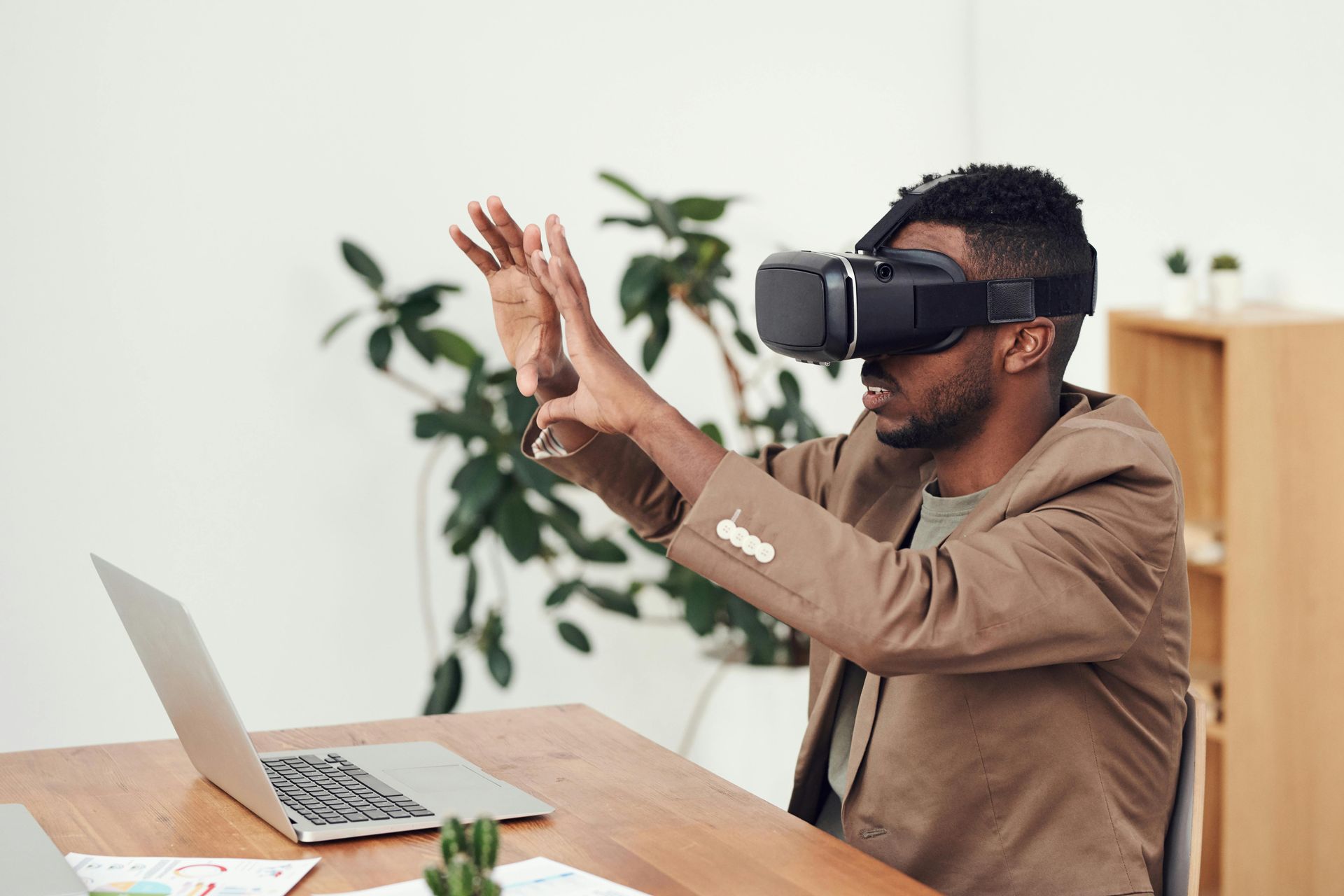
Virtual Reality places a person inside a digital environment they can look around and interact with, typically using a headset and hand controllers or hand tracking. This differs from Augmented Reality, which layers graphics onto the real world through a phone or see-through glasses. Most business VR today runs on standalone headsets—self-contained devices that don’t need a PC—making deployment far simpler. You’ll hear “6DoF” (six degrees of freedom), meaning people can move naturally and not just spin in place, and “room-scale,” meaning the system tracks them in a small area safely. That’s enough vocabulary to make clear decisions without drowning in jargon.
The Problem → Solution Map
If your work involves tasks that are dangerous, expensive, or hard to visualize, you have a VR use case. Training techs on a high-voltage procedure without exposing them to risk is a clear example. So is walking a client through a building design at true scale before you pour a dollar of concrete, or letting a buyer “handle” a product they can’t physically visit. In healthcare, VR gives patients and clinicians rehearsal time and controlled exposure therapy. In education, it turns abstract topics—like molecular structures or complex machinery—into something students can “hold” and explore. In remote collaboration, VR creates a shared room around a 3D model where decisions happen faster because everyone finally sees the same thing.
When VR Fits—and When It Doesn’t
The simplest test is to ask: is the real-world activity spatial, risky, repetitive, and expensive to practice? If yes on two or more, VR likely helps. If the workflow is a quick form fill or a five-minute policy update, VR may be overkill. It also isn’t ideal for heavy text tasks or situations where motion comfort cannot be guaranteed for your audience. Treat VR as a specialty tool you pull out when the stakes justify it, not a hammer for every nail.
Hardware and Budget Basics
Modern standalone headsets can run full training programs, collect telemetry, and update content over the air. You sacrifice some ultra-high-fidelity visuals compared to a powerful PC setup, but you gain lower cost, mobility, and easier management—usually the right trade for enterprise. Hand controllers remain the most reliable input, though hand tracking is improving and reduces the intimidation of holding devices. Plan for basics you might overlook: charging cradles, wipe-down hygiene, hard cases for transport, and a simple sign-out system. For budgets, think in phases: a pilot with a handful of headsets and a single module; an expanded rollout to the teams that need it; and then broader adoption once you’ve proven ROI. You don’t need a truckload of headsets to start seeing results.
What You’ll Actually Build
VR content typically falls into two buckets. First, 360° video, which is quick to produce and great for guided tours and empathy training. Second, fully interactive simulations built in real-time engines, which teach hands-on tasks with feedback and branching scenarios. If you have existing CAD models of equipment or facilities, you can often optimize and import them to save time and maintain accuracy. The right choice comes down to the outcome: if you need people to feel a space or story, 360° works; if you need people to perform precise steps, go interactive. Keep accessibility top of mind: adjustable text, clear audio cues, and multiple comfort options allow more people to participate.
Designing for Humans, Not Demos
The most common reason VR projects stall isn’t technology—it’s design choices that make people uncomfortable or confused. Sessions should be short and focused, usually 10 to 20 minutes. Movement should be controllable and gentle; teleport is the most comfortable navigation for most people. Inside the scene, instructions should be clear and visible, with subtle highlights or ghosted hands showing where to grab or press without shouting at the user. Early modules should be guided, with generous prompts, and then gradually open up to free practice and assessment. The win condition is not “they finished a level”; it’s “they can do the real task with fewer errors, faster.”
Measuring What Matters
You can’t scale what you can’t defend. Treat VR like any other operational investment with clear before-and-after numbers. For training, measure time-to-competency, error rates during assessment, and performance in the field. If you’re simulating high-risk procedures, track incidents and near-misses over time. For sales and marketing, look at demo-to-close rate, average deal velocity, and size. For design reviews, report rework avoided and change-order reductions. Instrument the VR itself: which steps cause hesitation, where people look, how often they repeat a step. Those insights not only prove value, they tell you exactly where to refine the module.
An Implementation Roadmap That Works
Start with discovery. Pick a single use case with real pain: perhaps onboarding new technicians who currently take weeks to become productive. Define success in one sentence—“reduce shadowing time by 40% without increasing errors”—and set your baseline. Prototype fast. Build one scene with one task and run it with five to ten people. Fix comfort and clarity first, not polish. Pilot next. Put the module in the hands of a small cohort for two to four weeks, compare their results to a control group, and collect feedback. Iterate to remove friction and tighten assessment. Only then roll out broadly with a playbook for facilitators, device logistics, and support. This order saves money and political capital because you’re never defending a hunch—you’re pointing to a measured win.
Integrations and Operations
A good VR program fits into your existing systems instead of becoming another orphaned tool. If you manage learning through an LMS, connect VR assessments using standard learning records so completions and scores appear where managers expect them. If your product team works from CAD repositories or PLM systems, establish a lightweight pipeline to export models in VR-friendly formats. For IT, treat headsets like any other managed device: apply updates in waves, enforce passcodes, and keep an inventory with simple MDM options where possible. For leadership, set up dashboards that translate VR usage into the metrics that matter to the business.
Safety, Comfort, and Accessibility
Real adoption comes from respecting the human body and brain. Comfort features like vignetting during motion, consistent high frame rates, and seated options reduce motion sickness for most people. Encourage frequent short breaks instead of long sessions. Offer hygiene covers and cleaning protocols so people feel safe sharing devices. Include captions and audio narration, allow larger text, and avoid color-only cues for critical information. Accessibility is not a “nice to have”; it’s a multiplier on adoption and impact.
The Lean Team You Need
You don’t need a Hollywood studio to ship useful VR. At minimum, you need a business owner who owns the outcome, a producer who gets things delivered, and a developer or technical artist who can assemble scenes and interactions. If integrations are complex, pull in an engineer to connect systems. During rollout, find facilitators—people who manage devices, help new users, and collect feedback. When use cases expand, you can add roles like instructional designers or bring in a specialized partner to accelerate production. Start small and staff against real demand.
The Pitfalls You Can Skip
Most disappointing VR stories share the same causes. Teams start with the flashiest idea instead of the highest-value problem. They polish visuals before they solve comfort and clarity. They forget to define a baseline, so they can’t prove a lift. Or they buy a stack of headsets before they know what they’ll run on them. None of these are technology problems—they’re sequencing problems. Choose a valuable job to be done, measure it, and only then level up the visuals and scope. You’ll avoid the demo-graveyard and earn trust for the next module.
Industry Playbooks You Can Borrow
In manufacturing, VR training reduces lock-out/tag-out errors and shortens time to independent work. A common pattern is to simulate a full shift’s worth of procedures and let new hires practice until they can perform each step without hints; supervisors then redeploy their time from shadowing to higher-value tasks. In construction and real estate, true-scale walkthroughs expose clashes and awkward layouts before they’re built, cutting change orders and boosting client confidence. In healthcare, VR modules guide clinicians through rare but critical procedures and help patients rehearse movements before therapy. Retail teams use VR to teach store resets and seasonal planograms without flying people to a mock store. The common thread is simple: where mistakes are costly or practice is limited, VR creates a safe laboratory for repetition.
Tools and Tech Stack Without the Hype
Most interactive business VR is built with Unity or Unreal Engine. If that sentence sounds intimidating, know that you can still start with low-code authoring tools and grow into custom work later. Asset creation flows naturally from Blender and texturing tools, and many manufacturers already have usable models sitting in CAD archives. For analytics, standard learning record stores can capture scores and step completion, while custom dashboards can add deeper insights like time-on-step or gaze heatmaps. Choose the tool that serves your outcome, not the one with the flashiest demo reel.
Budgeting and ROI, Kept Simple
Break costs into five buckets: devices, content development, integrations, operations, and support. Savings appear in fewer travel days, faster ramp, fewer mistakes and incidents, reduced rework, and better close rates. A simple payback model is enough to decide: if the pilot costs a fraction of a single incident you’re trying to prevent—or a single new hire’s time saved covers the module in a quarter—you have a winner. Be conservative in your assumptions, track the lift honestly, and look for payback within one to three cycles for high-value use cases. If the numbers only work under perfect conditions, refine the module or pick a different problem.
Procurement and Governance
Treat VR vendors the way you evaluate any critical supplier. Ask for relevant case studies and try the content yourself for comfort and clarity. Make sure contracts define who owns the content, how long you can use it, and where—especially if you plan to repurpose it in marketing or training across regions. Align on support expectations and update cadence. On the data side, clarify what’s captured, how it’s stored, and who can access it. Establish a simple change-management plan so teams know what’s coming, why it matters, and how to get help.
Culture and Adoption
People will try VR once for the novelty. They’ll use it weekly if it makes their work easier. Your rollout should make the first session friendly and successful: a guided experience, a clear win, and zero embarrassment. Identify champions in each department who can coach newcomers and surface feedback. Make progress visible with small badges or leaderboards tied to real outcomes, like achieving a certification faster. Involve leadership in early sessions so they can speak credibly about the value. This isn’t about forcing a new tool; it’s about demonstrating usefulness so the new tool becomes normal.
What’s Coming Next
Headsets are getting lighter, pass-through cameras are getting sharper, and the line between VR and mixed reality is fading. That means you’ll increasingly practice on virtual panels mounted on your real-world wall or overlay a digital checklist on real equipment. Shared persistent rooms are maturing, so reviews and training can continue where you left off. AI assistants will soon watch your practice and coach you in real time, turning every module into a personal tutor. None of these trends change the fundamentals: pick valuable problems, design for comfort and clarity, and measure what matters.
A One-Page Starter Plan
Pick one task with high cost of errors and repeatable steps. Write a one-sentence success metric and collect a baseline. Build a simple prototype for that task and test with five users; fix anything that confuses or makes them uncomfortable. Run a two-week pilot with a small cohort while keeping a control group. Compare results, collect quotes, and decide to scale, refine, or stop. Document what worked and what didn’t, and plan version two. This simple loop will carry you farther than any shopping list of features.
Short Answers to Common Questions
Session length should be short and focused; plan for breaks and never force long runs. You don’t need a big studio to begin; a small internal team and a focused partner can ship a valuable pilot. Existing CAD is a gift—use it—with proper optimization for performance. Motion sickness is rare with good design; always offer seated and teleport options. ROI often shows within a quarter for the right use case; if it doesn’t, adjust the module or reconsider the fit.
Conclusion: Make It Real, Make It Useful, Make It Measurable
Virtual Reality earns its place when the job is spatial, risky, or expensive to practice—and when the goal is deep understanding or decisions that stick. The technology is ready, but the win comes from disciplined scoping and relentless focus on outcomes. Start with a single painful problem, prove one measurable lift, and scale from there. That’s how you trade slide fatigue for lived understanding, reduce errors before they happen, and turn training, sales, or design reviews into faster, safer, more confident work.
If you want help choosing the first use case or shaping a pilot you can defend to leadership, pick the problem that costs you most today. From there, it’s a short path to a prototype, a small cohort, and numbers that speak for themselves.